
How to Create a Product on GogoPogo : Full Walkthrough for Creators
If you’re a creator, artist, or entrepreneur looking to sell merchandise online, GogoPogo makes the process incredibly simple. The platform allows users to create and sell customized products like apparel, mugs, and accessories without managing inventory or shipping. You only need to upload your design, set your price, and publish the product while the platform handles printing and delivery worldwide.
A Beginner-Friendly Walkthrough to Creating Your First Product on GogoPogo
Creating and selling custom products online has become easier than ever with GogoPogo. In this guide, we’ll walk through the step-by-step process of creating a product for beginners on GogoPogo, based on a full tutorial video. By following these simple steps, you can quickly set up your product and make it available for customers to purchase.
Step 1: Log in to Your GogoPogo Dashboard
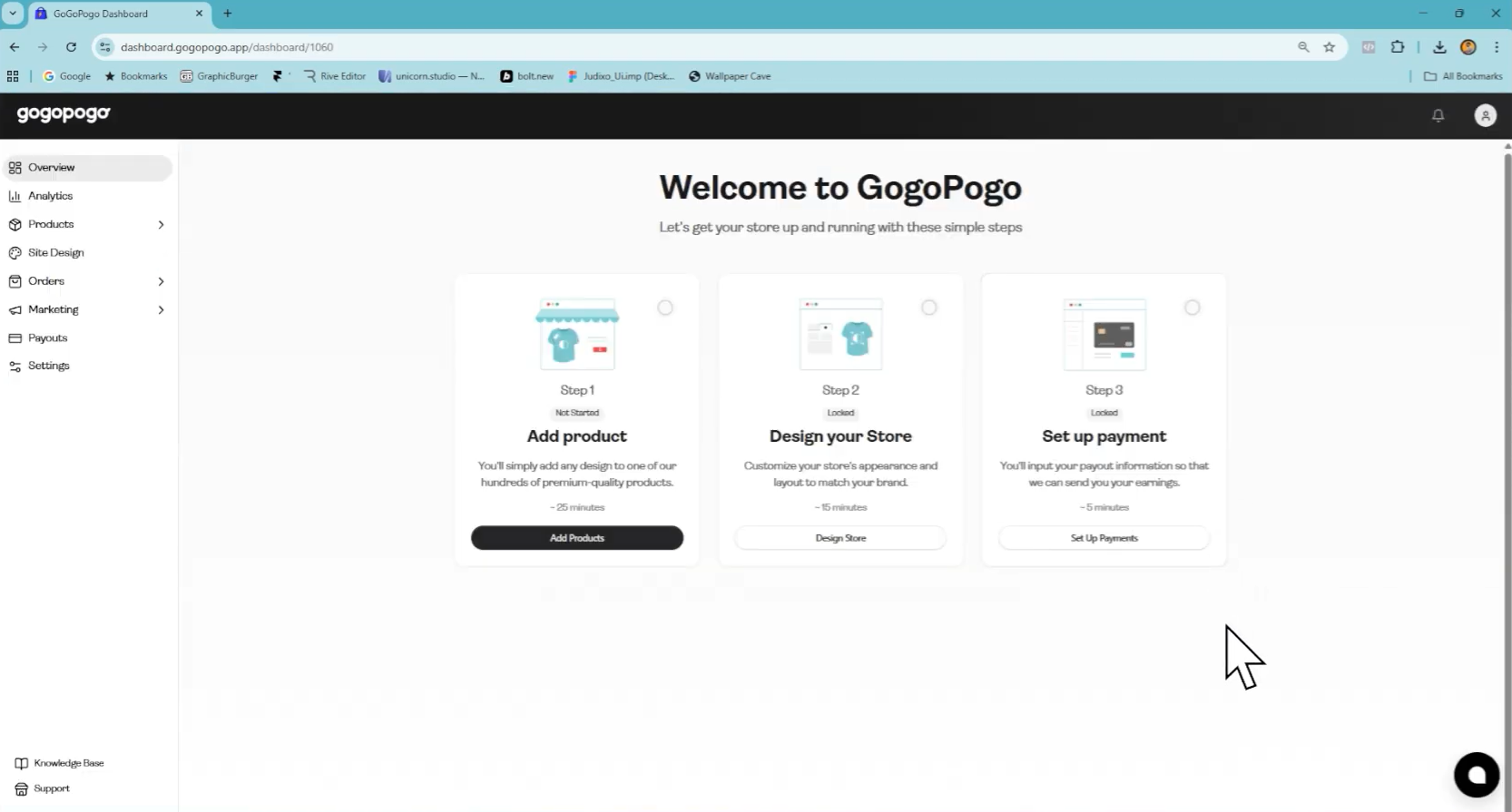
First, visit the GogoPogo platform and log into your creator account.
Once logged in, you will land on the dashboard, where you can manage your store, products, and orders.
Step 2: Navigate to the Products Section
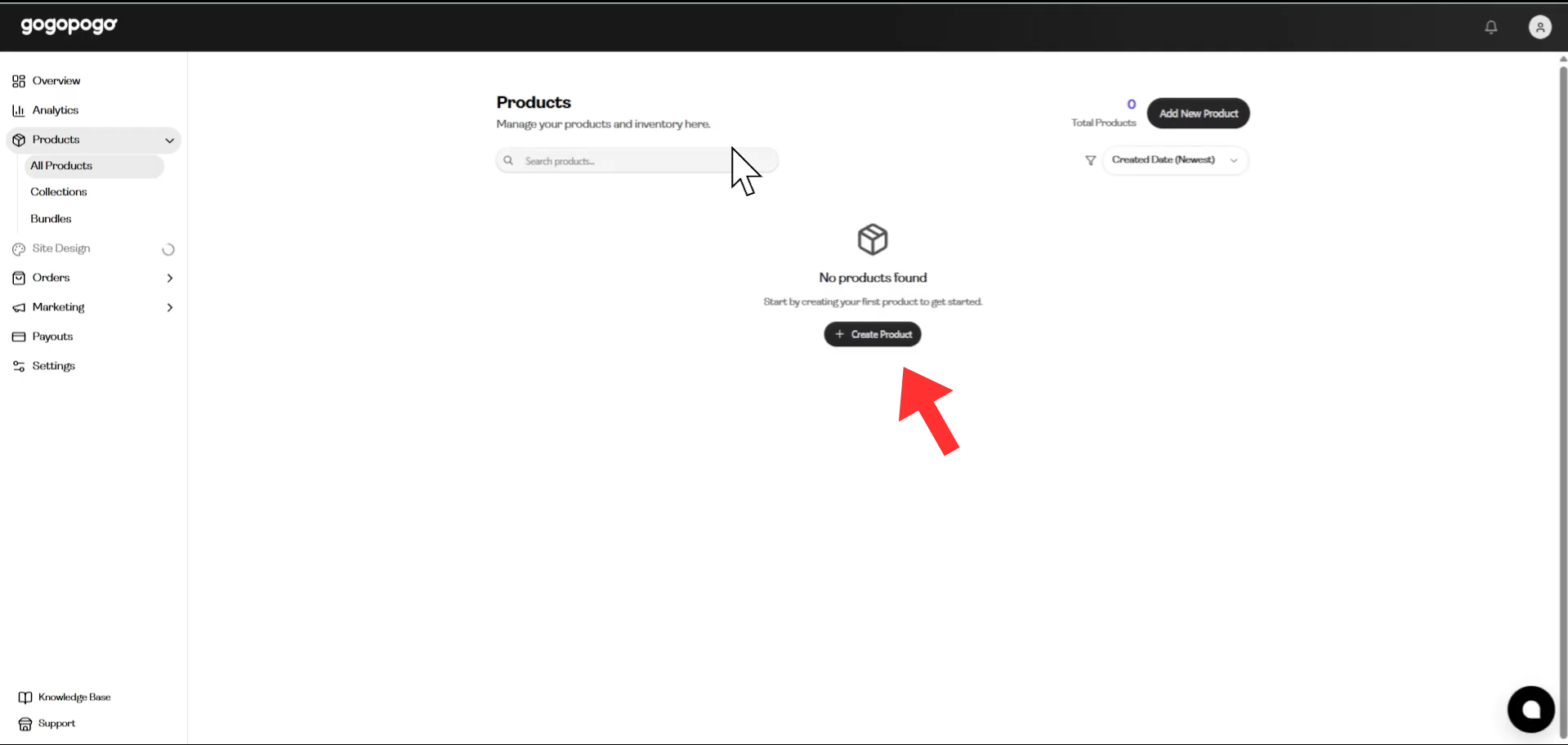
From the dashboard menu:
Click Products
Select Create Product
This section allows you to add new items to your online store.
Step 3: Choose the Product Type
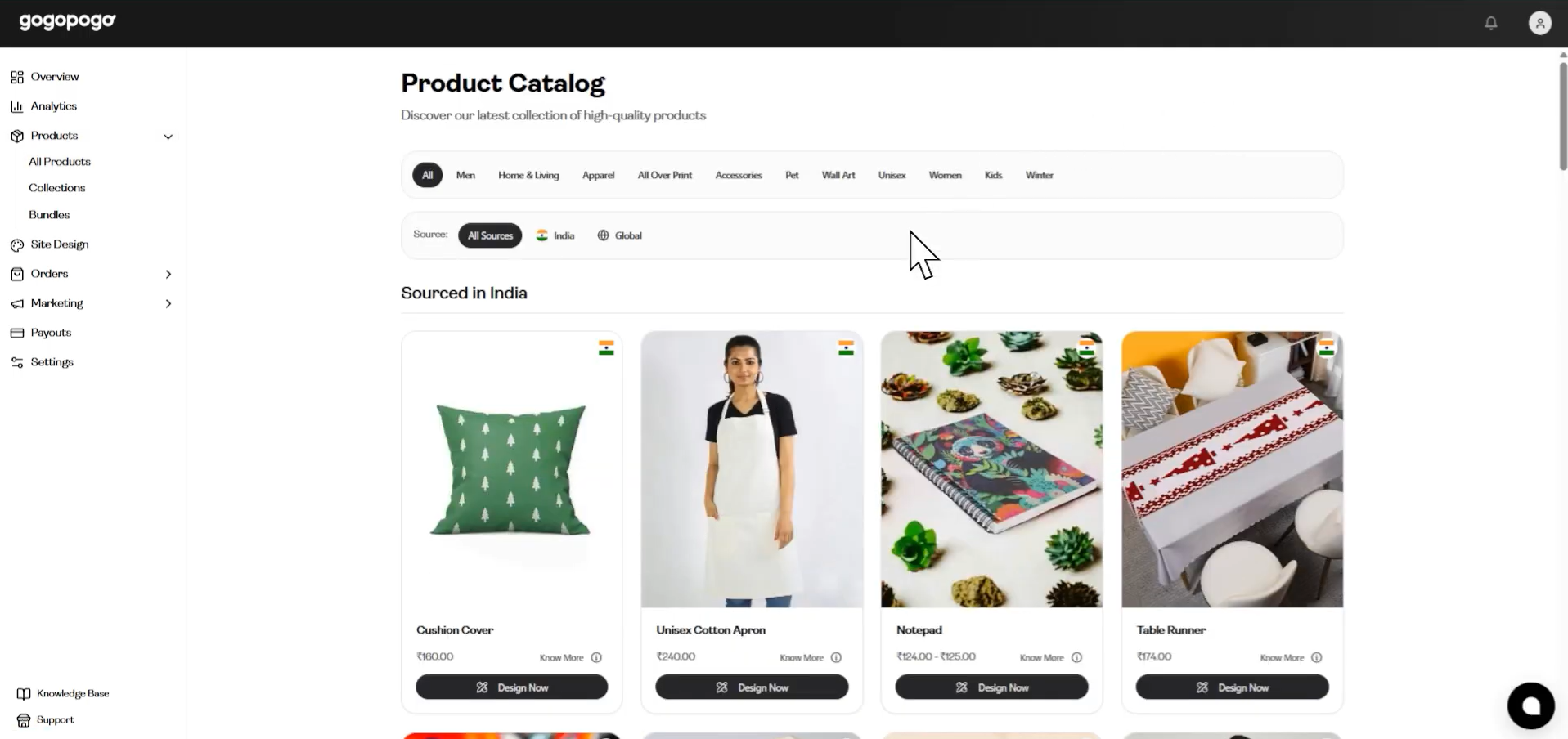
Next, choose the type of product you want to sell.
Common options include:
T-shirts
Hoodies
Cushion covers
Tumbler bottles
Stationaries, etc
GogoPogo offers a lot of customizable products, allowing creators to showcase their designs on different merchandise.
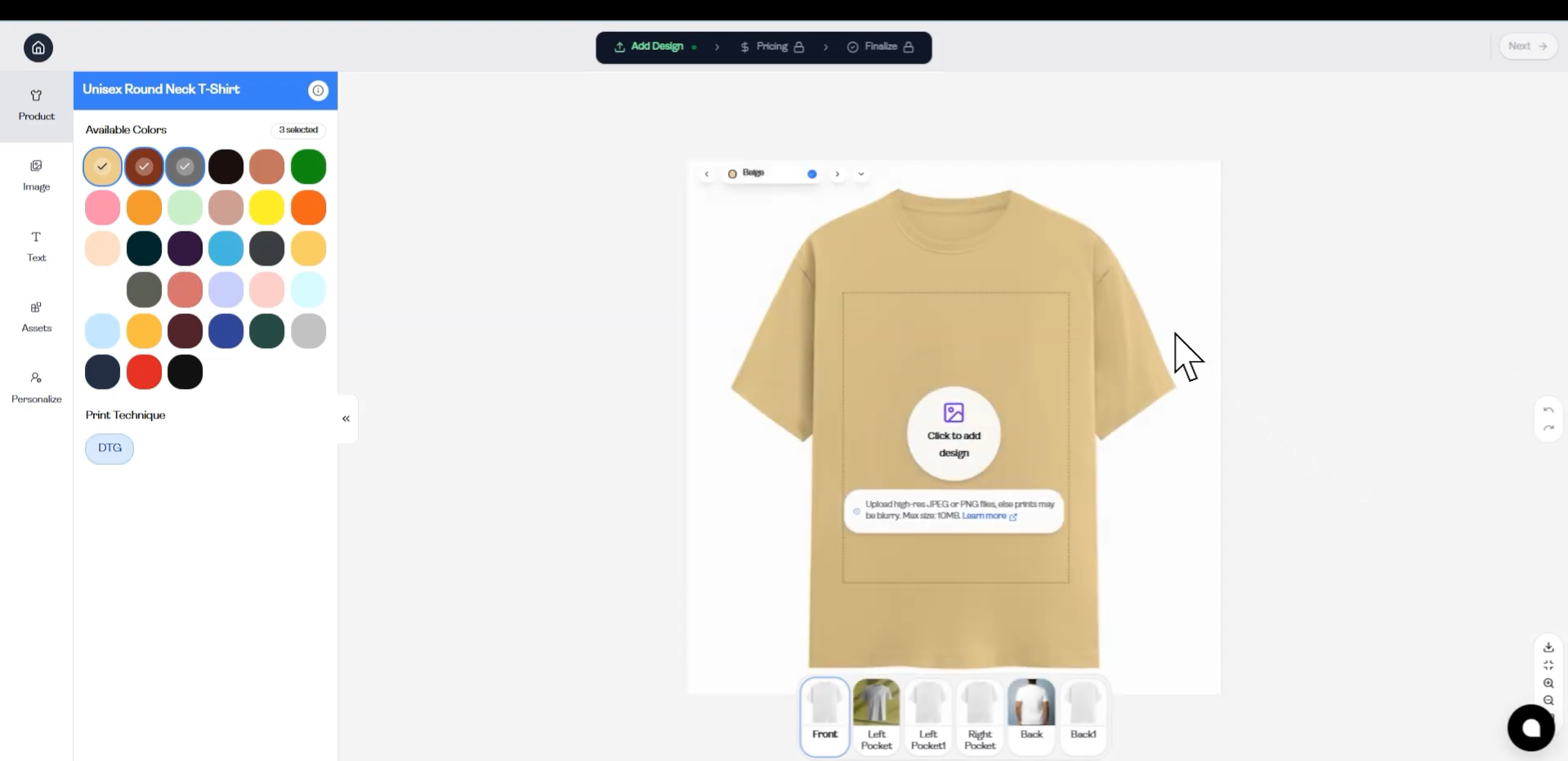
Step 4: Upload Your Design
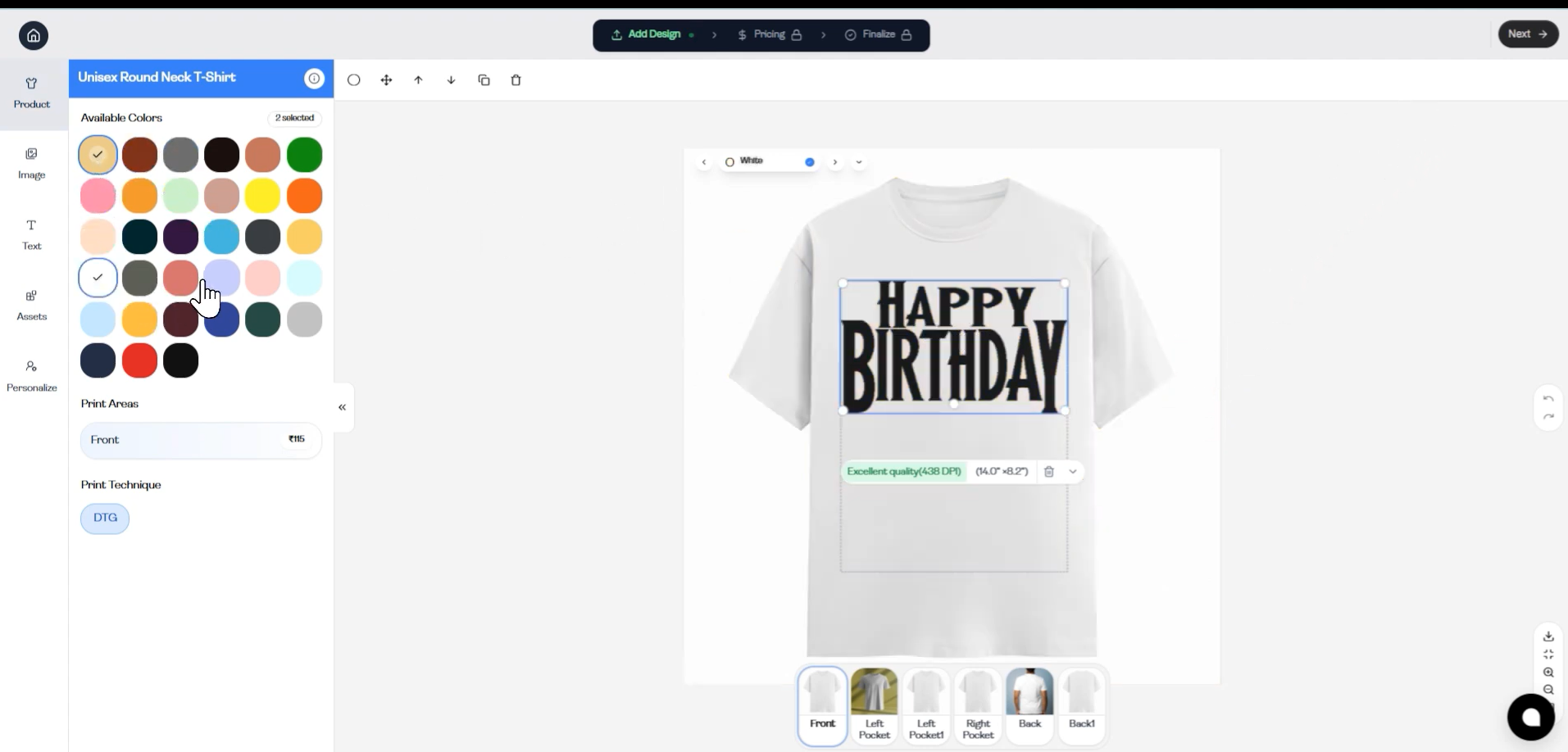
Now upload your artwork or design that will appear on the product.
Make sure that:
The design is high resolution
It fits the print area properly
Once uploaded, you can position and adjust the design on the product mockup.
Step 5: Set the Price and Profit
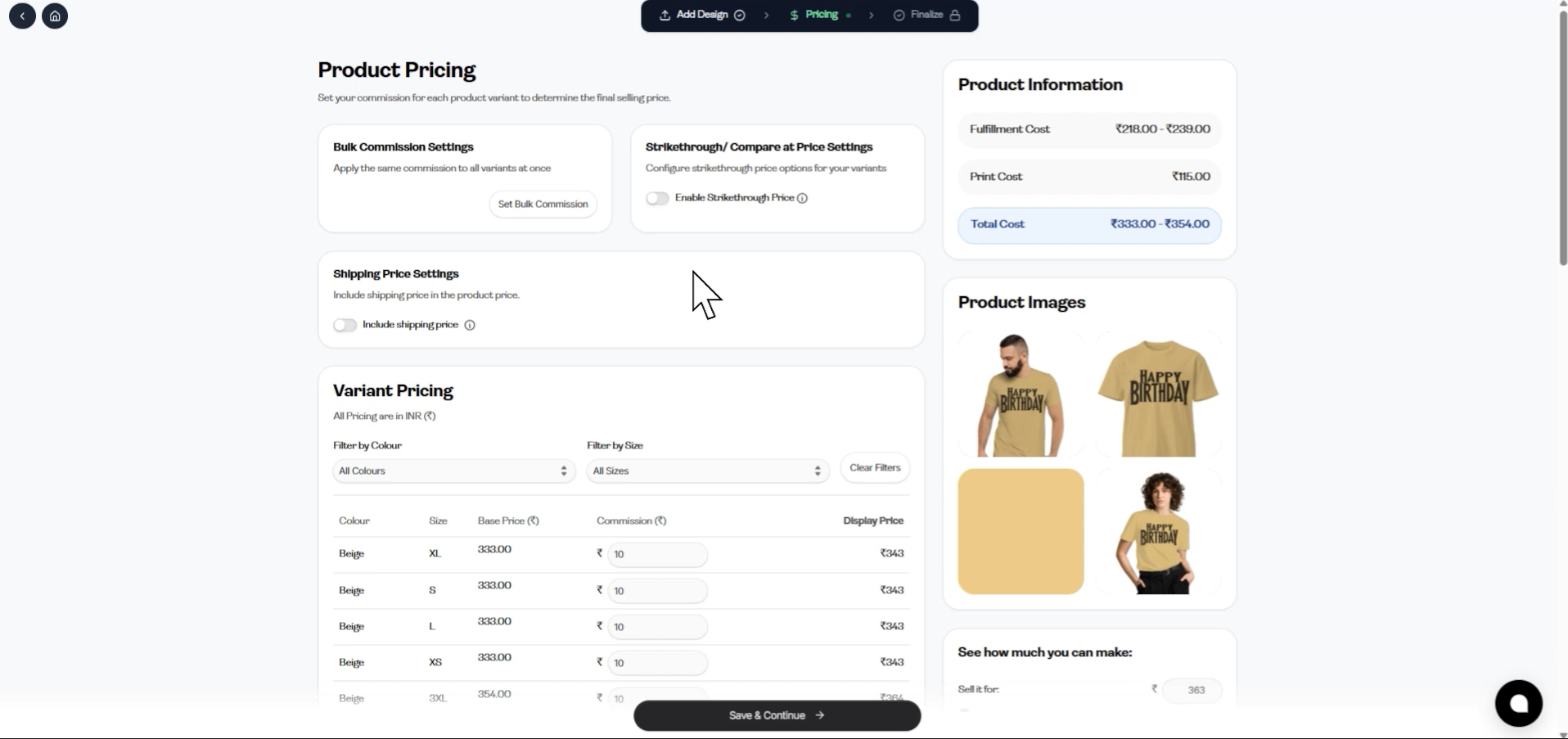
You can now set your selling price.
The platform shows:
Base cost
Your selling price
Your profit margin
Creators keep the profit difference between the product base cost and selling price.
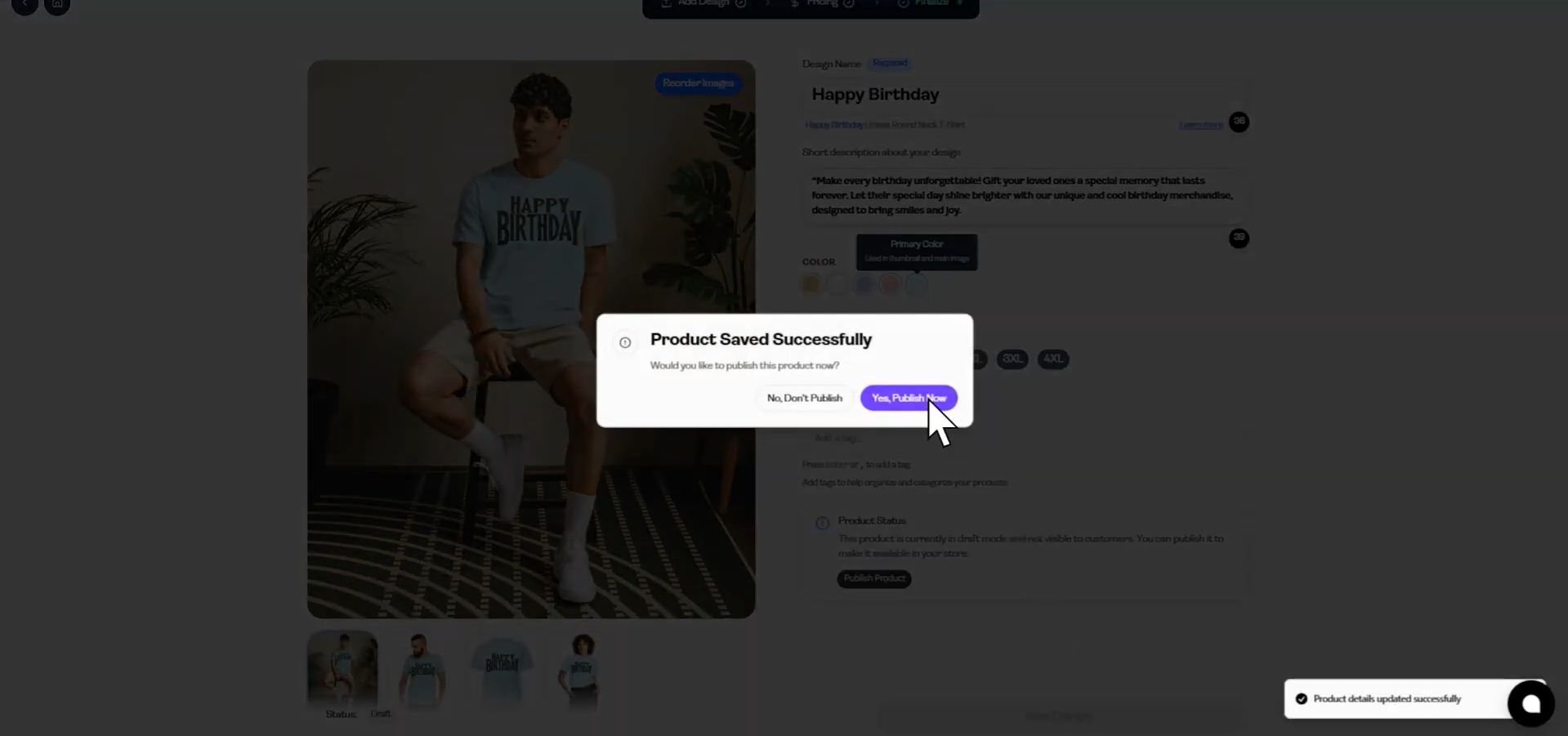
Step 6: Customize the Product Details
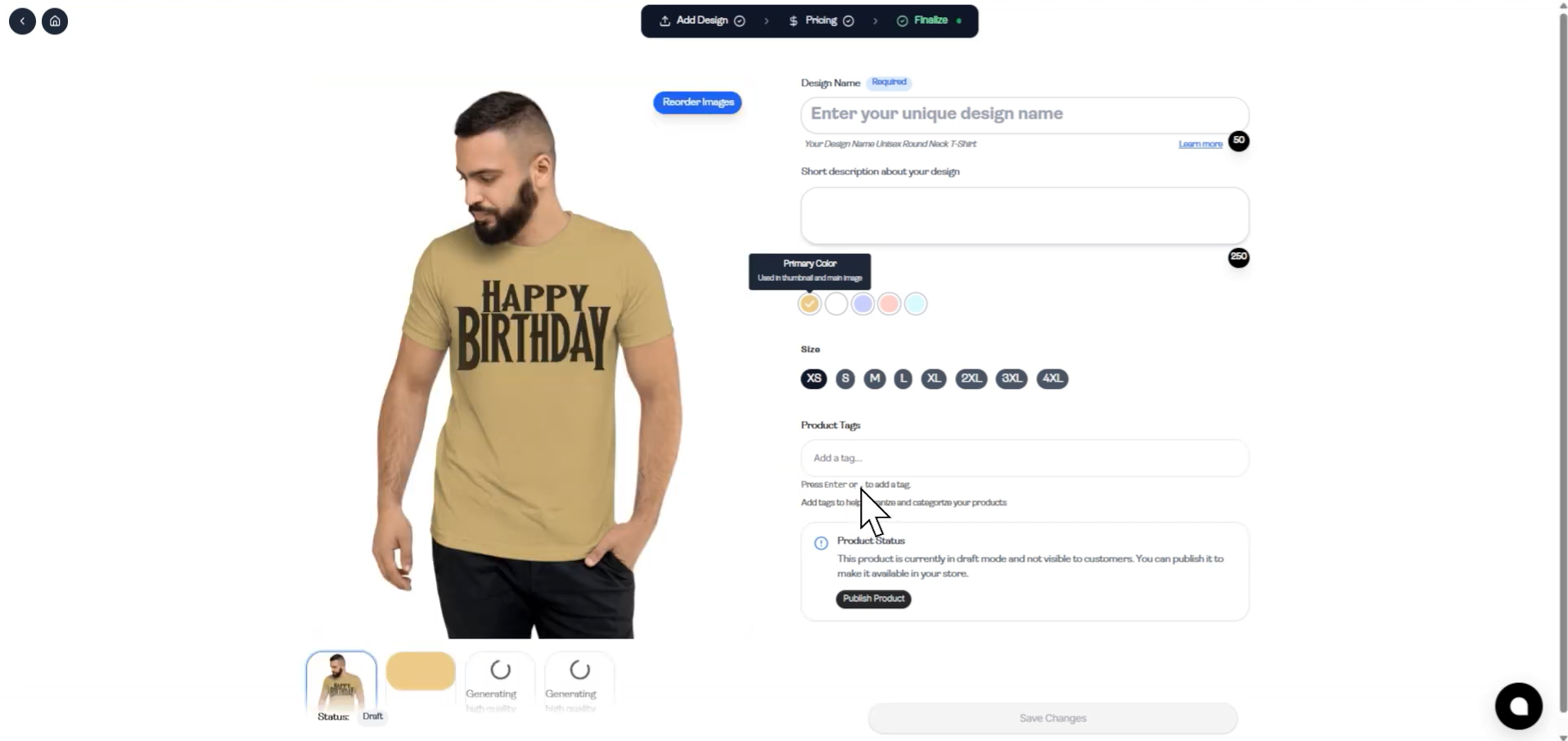
Next, enter important product details such as:
Design Name
Description
Product Tags
Reorder Images
These details help customers understand your product and also improve discoverability.
Step 7: Publish the Product
Finally:
Click Publish
Your product will appear in your online store
You can now share your store link and start selling.
Creating a product on GogoPogo is a straightforward process designed for creators who want to sell merchandise without technical complications. From uploading designs to publishing products, the platform simplifies every step so you can focus on building your brand and promoting your creations.